Adding Events to a Series
It is common for a Series to include races from multiple directors, organizations, and timers. The Series Scoring platform makes this manageable by using Event Sharing Tokens to link a Race/Event to the Series without sharing dashboard access.
Each event in the series needs to be added via Event Sharing Tokens for points to be attributed to participants and for Registration ID to be a usable field to bring in participants (if uploading results via CSV).

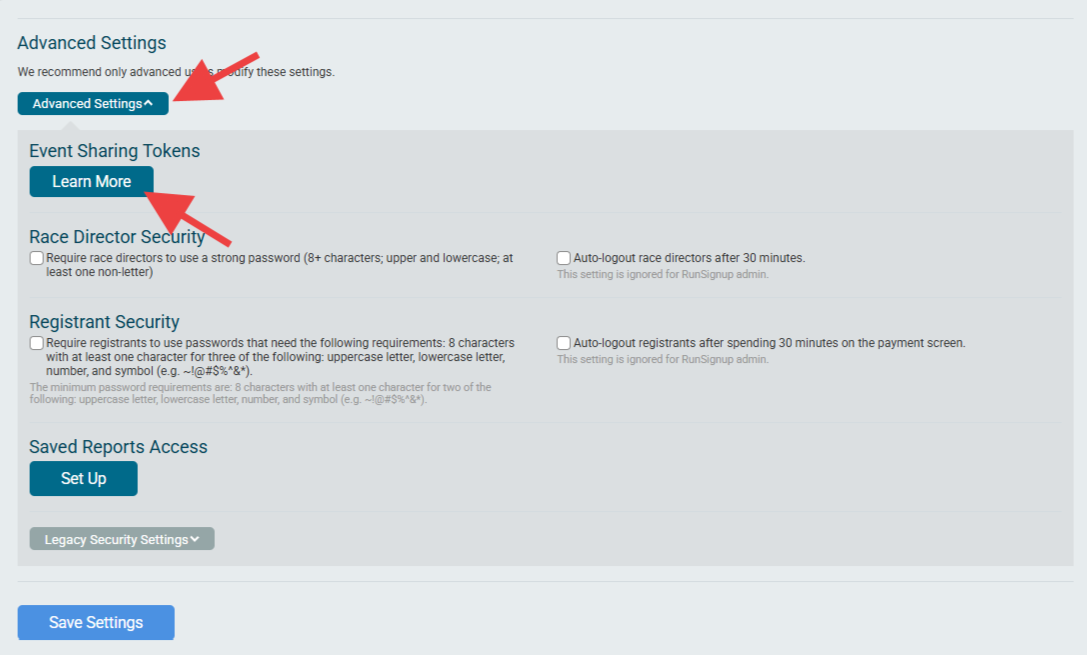
To add an Event to the Series, go to Race -> Secure Access/Info Sharing and scroll down to Advanced Settings and expand it, then click on “Learn More” under “Event Sharing Tokens”:
This will provide a list of all sharing tokens for all events across the race’s history. Each token needs to be added individually. Clicking the copy icon next to the Event Sharing Token will copy it to the clipboard:

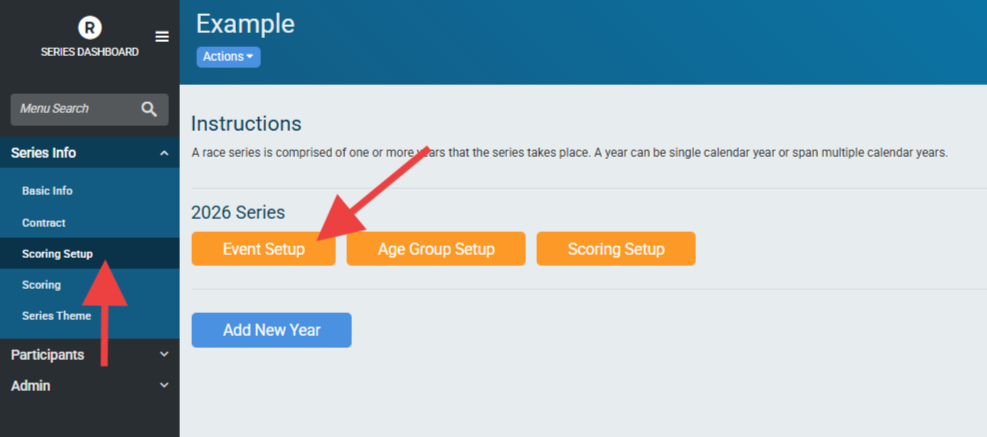
To add the Event Sharing Token to your Series, go to Series Info -> Scoring Setup -> Event Setup:
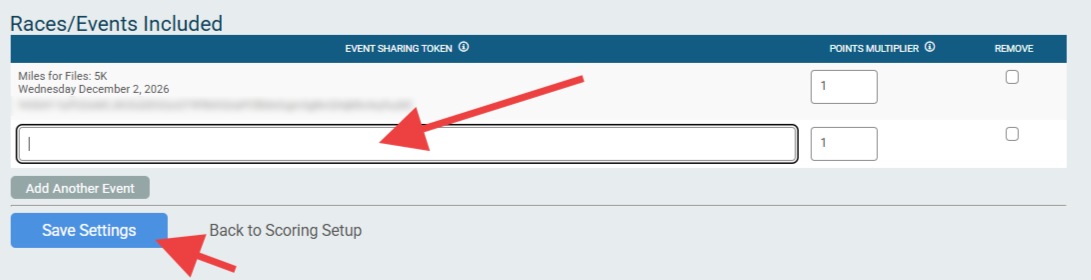
Then either add the first event or the event copied to the clipboard and click “Save Settings”. It is possible to add multiple Event Sharing Tokens at one time by clicking “Add Another Event” to add another field for each Token that needs to be added.