TABLE OF CONTENTS
Creating a Series
To create a Series, go to https://runsignup.com/RaceSeries/New
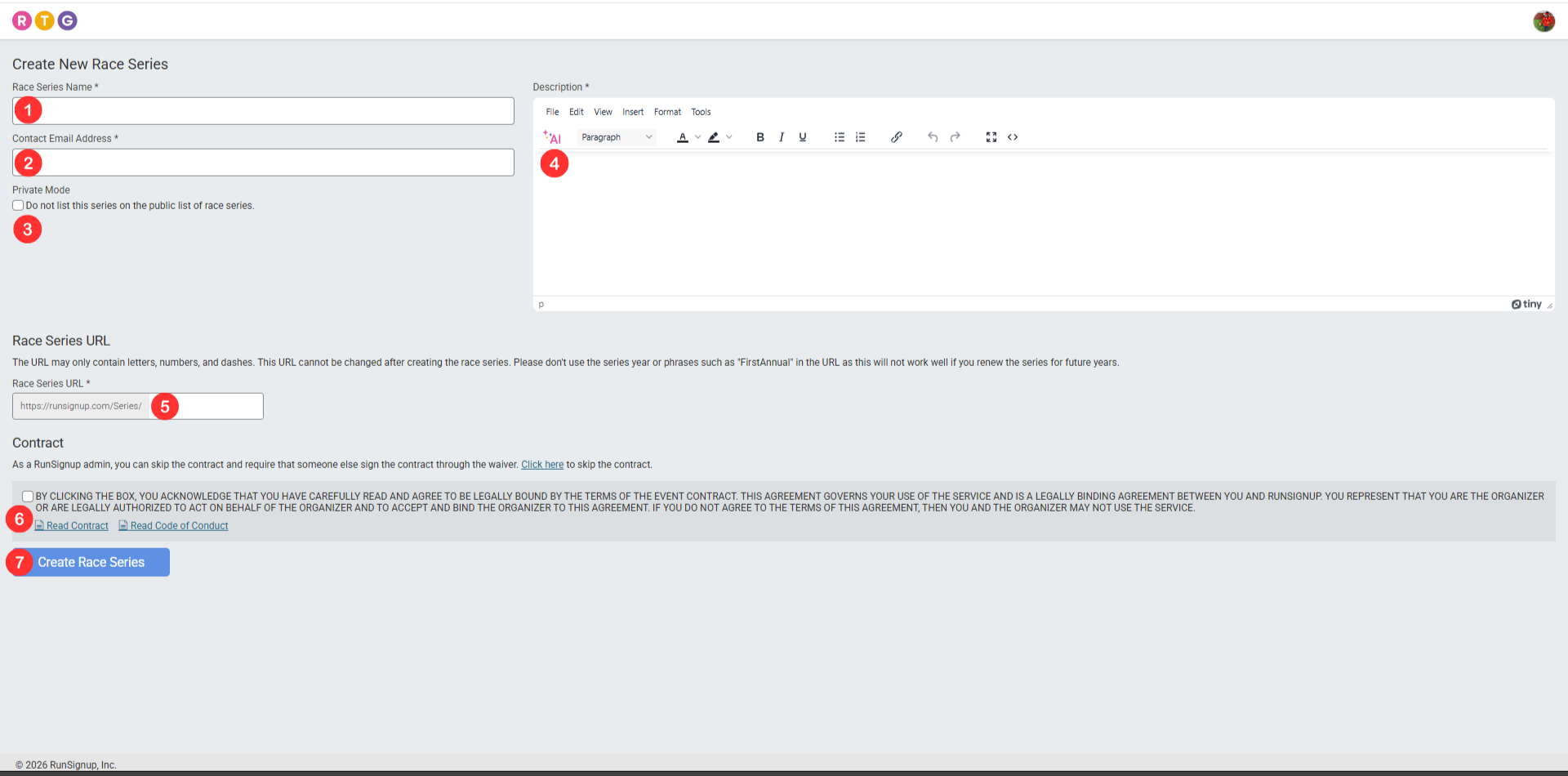
Race Series Name - The name of your race series. A Series is evergreen and the series can be renewed year over year much like a RunSignup Race. Do not name your Series “First Annual” or with a specific year for this reason.
Contact Email Address - The email that participants should use to reach out with questions about the series.
Do not list this series on the public list of race series - Checking this box prevents this series from being listed publicly. If you are not ready to fully launch a series, or if you are creating a test series, it is best to check this box.
Description - A brief description of your series. This will display on the front page of the public site for the series. It is useful to explain the series rules and preemptively answer questions in this space.
Race Series URL - The URL that will be used for the Race Series. Like the Race Series Name, this will be used for the series regardless of which year is being used. For this reason, you should not use things like “firstannual” or the race year. This URL cannot be changed after clicking the “Create Race Series” button.
Agree to Contract/Code of Conduct - This must be checked before proceeding. Links to both the Contract and Code of Conduct are found here to be reviewed.
Create Race Series - This creates the Race Series. Do not click this until items 1 through 6 are completed to your satisfaction.
Updating Basic Information
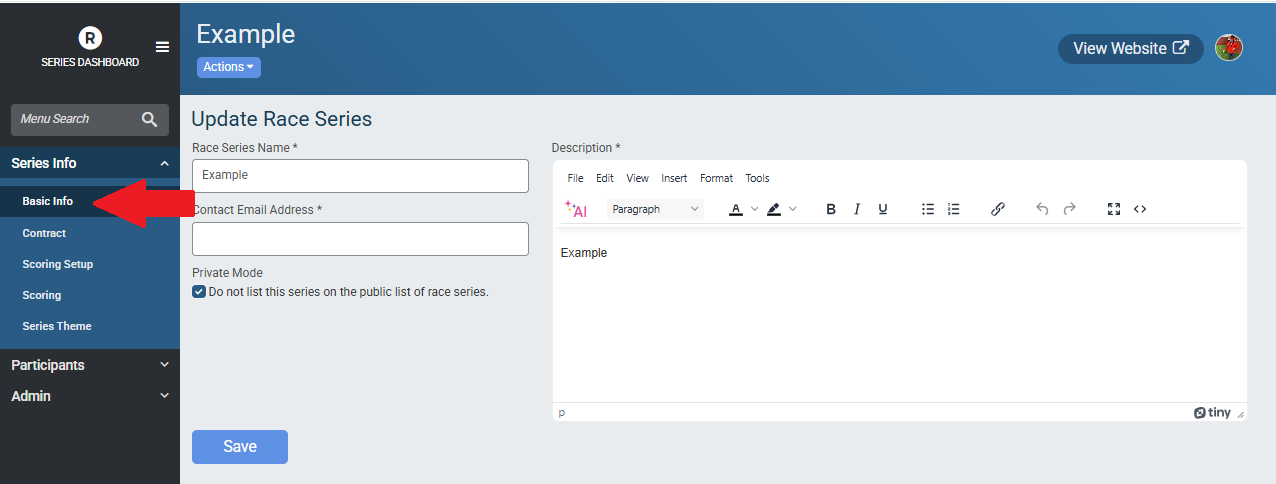
The Race Series Name, Contact Email Address, Description and Do not list settings can all be updated by going to Series Info -> Basic Info
Series Theme
The theme (color and banner) of the Series can be updated and customized by going to Series Info -> Series Theme. There are a number of Color Schemes that are available to use, or you can Add a Custom Color Scheme.
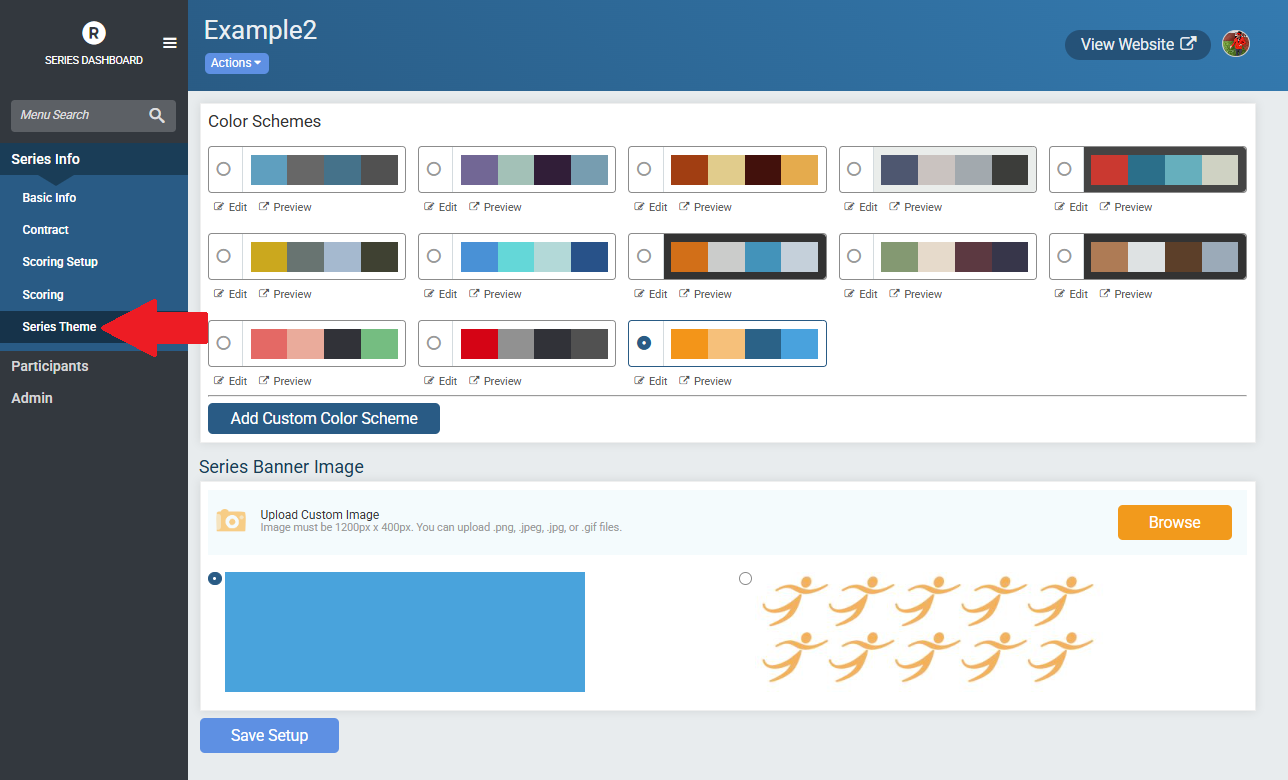
The Series Banner Image can be updated to a custom image as well. Images can be in .png, .jpeg, .jpg, or .gif files and must be 1200 x 400 pixels in size.