TABLE OF CONTENTS
Refunding Store Order
Once you have enough funds in the Refund Reserve to perform the refund, you can initiate the refund. To refund a store item, find the purchase in the Store Orders report under Store >> Store Orders and click into the Order No.

On the Store Order page, scroll down to the itemized table at the bottom of the page. Use the checkboxes on the left hand side of each item to select which items you will refund and click Issue Refund.
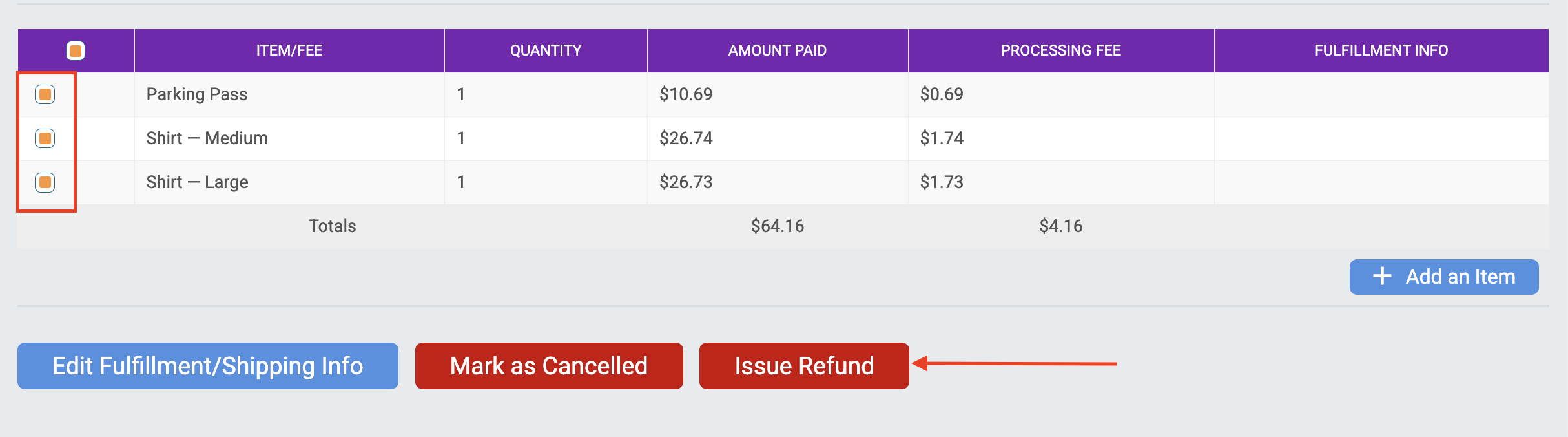
Note: Use the checkbox in the heading auto-select all items on the purchase.
Enter the amount you would like to refund. By default, the refund amount will auto-fill with the amount paid for the items without any processing fees paid. You can enter a custom refund amount or use the quick select buttons to pre-fill the Refund Amount with processing fees paid.
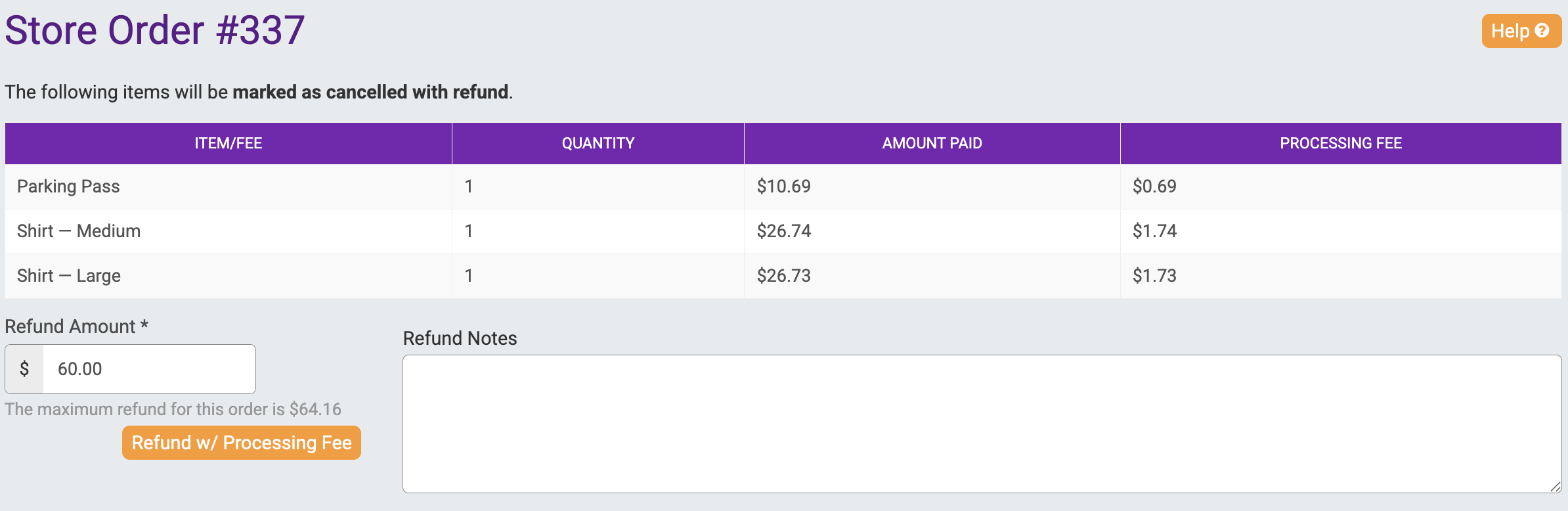
You can also enter internal Refund Notes.
Sales Tax Refund
The sales tax refund is NOT included in the refund amount above. If you want to specify how the refund maps to line items for sales tax purposes, fill in the amounts below. If left blank, we take the safe route and will refund the least amount of sales tax possible. For sales tax remitted by you, the amount of the sales tax refund will be charged to your refund reserve.
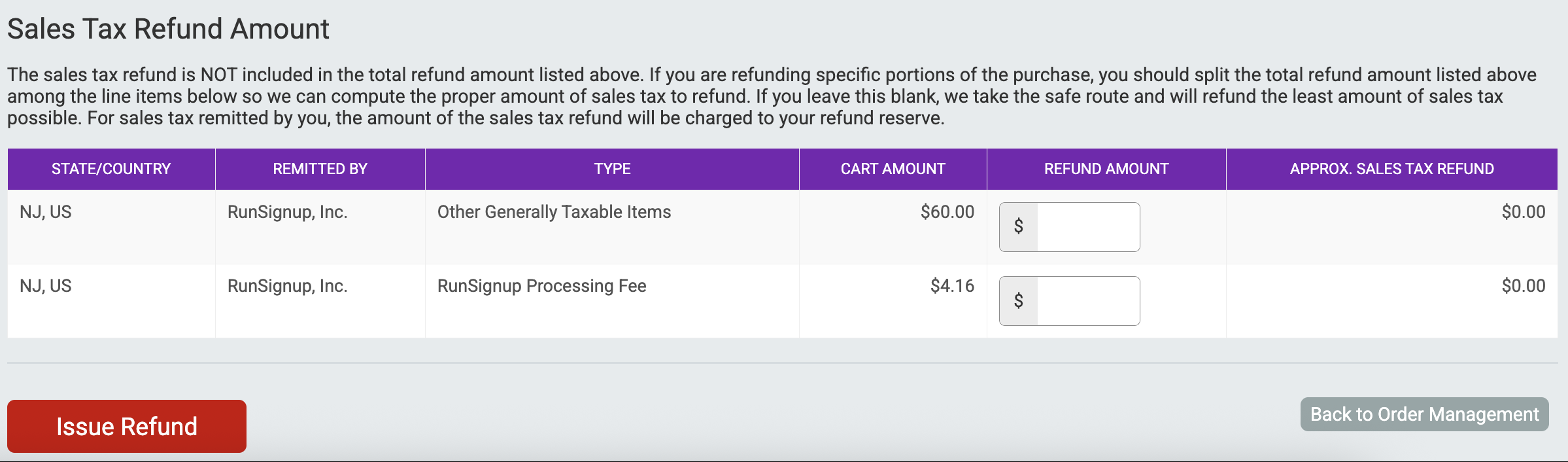
Click Issue Refund.
Store Orders Report
Refunded Store Items will show as cancelled in the Store Orders report under Store >> Store Orders

Refunds Report
View a report of the refunds processed for your Membership Organization under Financial >> Financial Summary >> Refunds.
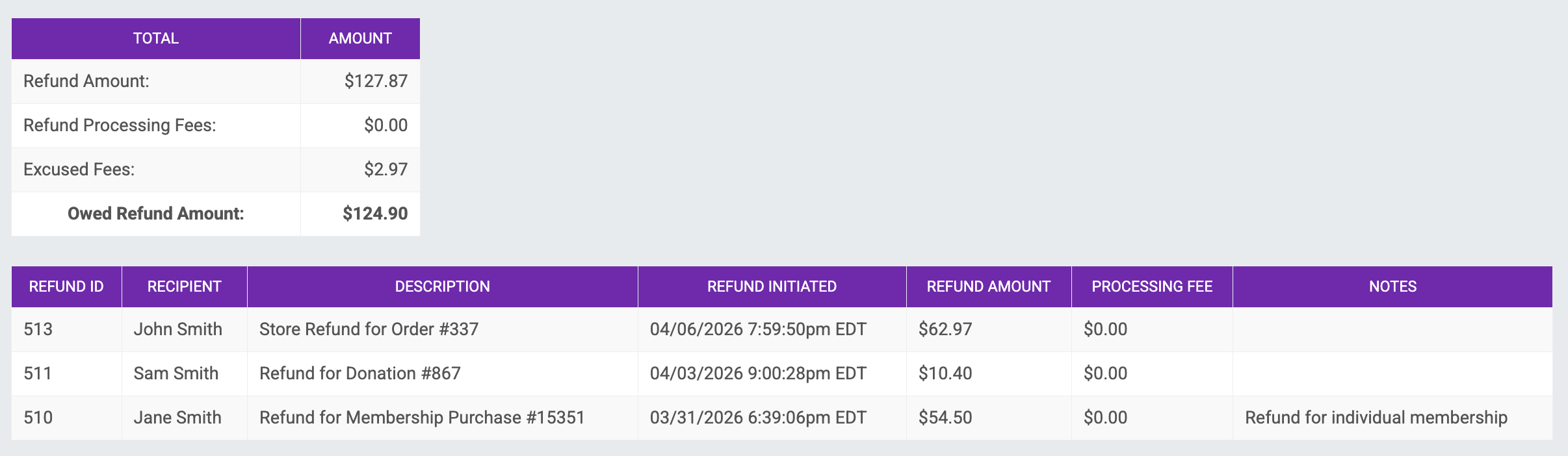
This report will provide a list of each refund processed, including the refund ID, recipient, description, date/time initiated, refund amount and any refund notes added when issuing the refund.
You can also view a summary of the total refunds processed. Note: The "Excused Fees" line in this summary will include any sales tax refunded by RunSignup. This amount was not removed from your refund reserve.
Bulk Refunds
There is currently no way to process bulk refunds for Membership Organizations. Each store order must be refunded separately. In addition, memberships, donations, and store items must be refunded separately.
Learn more about refunding donations and memberships for membership organizations below: