Verify Your Payment Account
Our payment processor, Adyen, reviews payment accounts on our platform periodically. This is to ensure that your event is using the most accurate and up-to-date information. Because of this, you will be prompted to review the bank account and legal entity to make sure it is correct. If you do not verify your payment account, you risk payments being disabled.
You will know action is needed for your payment account if you see this red message on your dashboard:

Update Your Information
You will see the red banner message at the top of your dashboard that says "The payment account for this race requires attention!" if you need to verify your payment account.
Click the button Update Your Information to go to the legal entity page to make the changes:

Note: If you are not listed with legal entity access, you will receive an error message that you cannot access the link. If you email us at info@runsignup.com, we can tell you know who has access to the legal entity to make the updates.
Review Your Information
Once you click the button, you will be taken to the legal entity page of the payment account. You will see this message about the error found prompting you to review the legal entity information:

You need to click the two blue buttons below that red error message to review the legal entity and bank account information. If anything has changed, make the update and save:
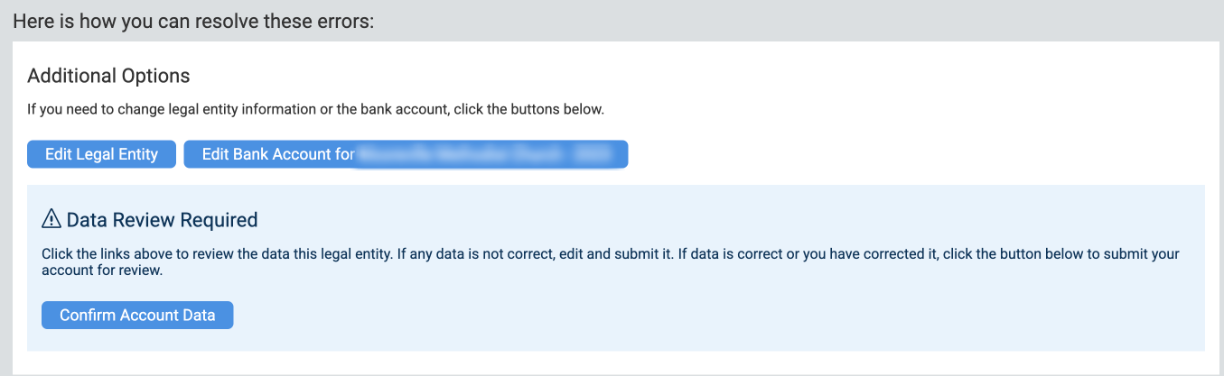
If everything is correct, click Confirm Account Data.