Participants often look for their result in the wrong place, such as the 5K results when they ran the 10K. The search on the Results Overview page finds them by name or bib across every public individual result set for the year they’re viewing. It’s already on, and there’s nothing to set up.
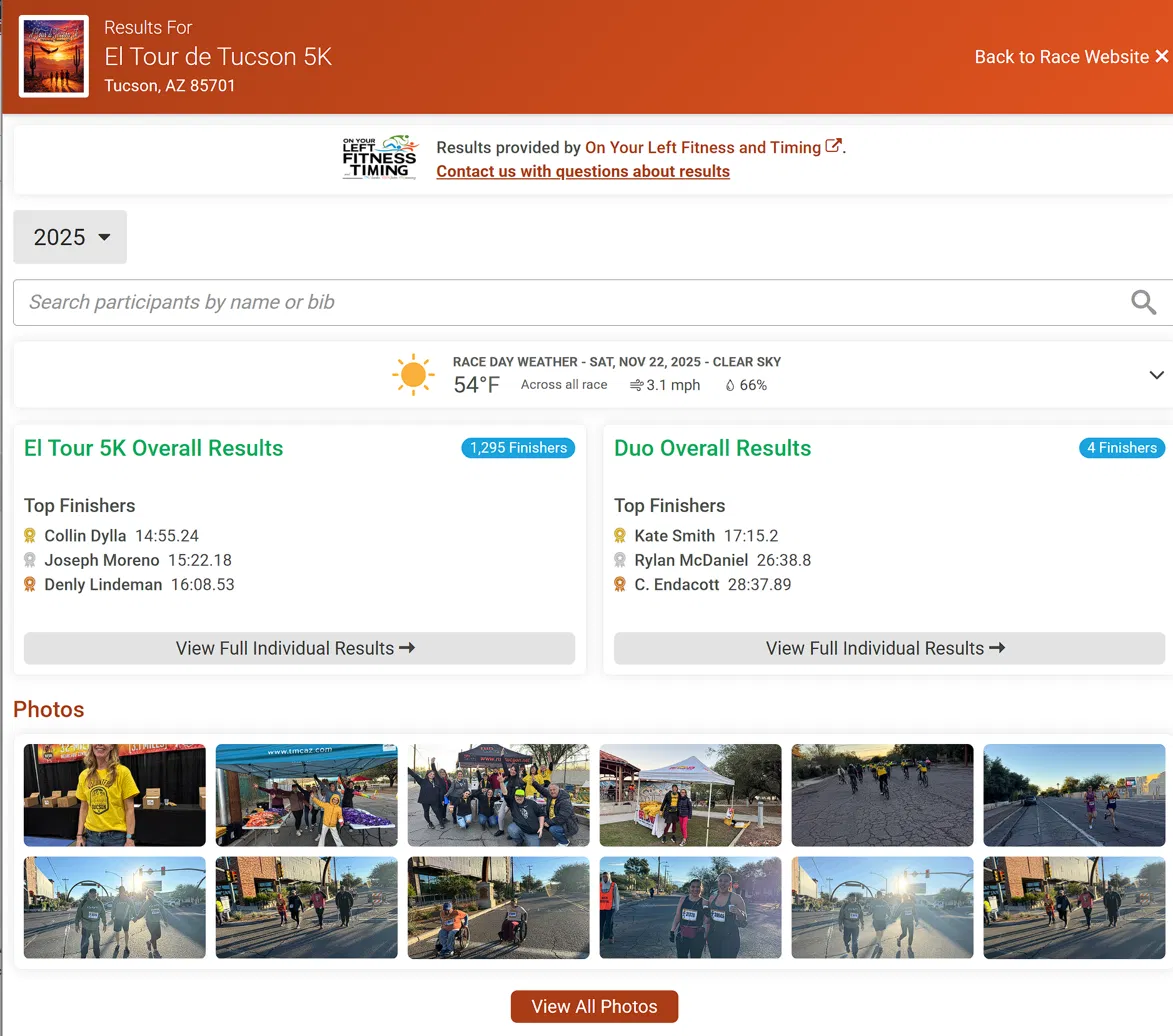
Your participants open the race website and choose Results. If the race has results in more than one year, they choose the year. The search follows that year. When the race has results for only one year, there is no year menu, and the search sits above the result sets.
The box reads “Search participants by name or bib.” They press Enter or click the search icon.
What a match shows
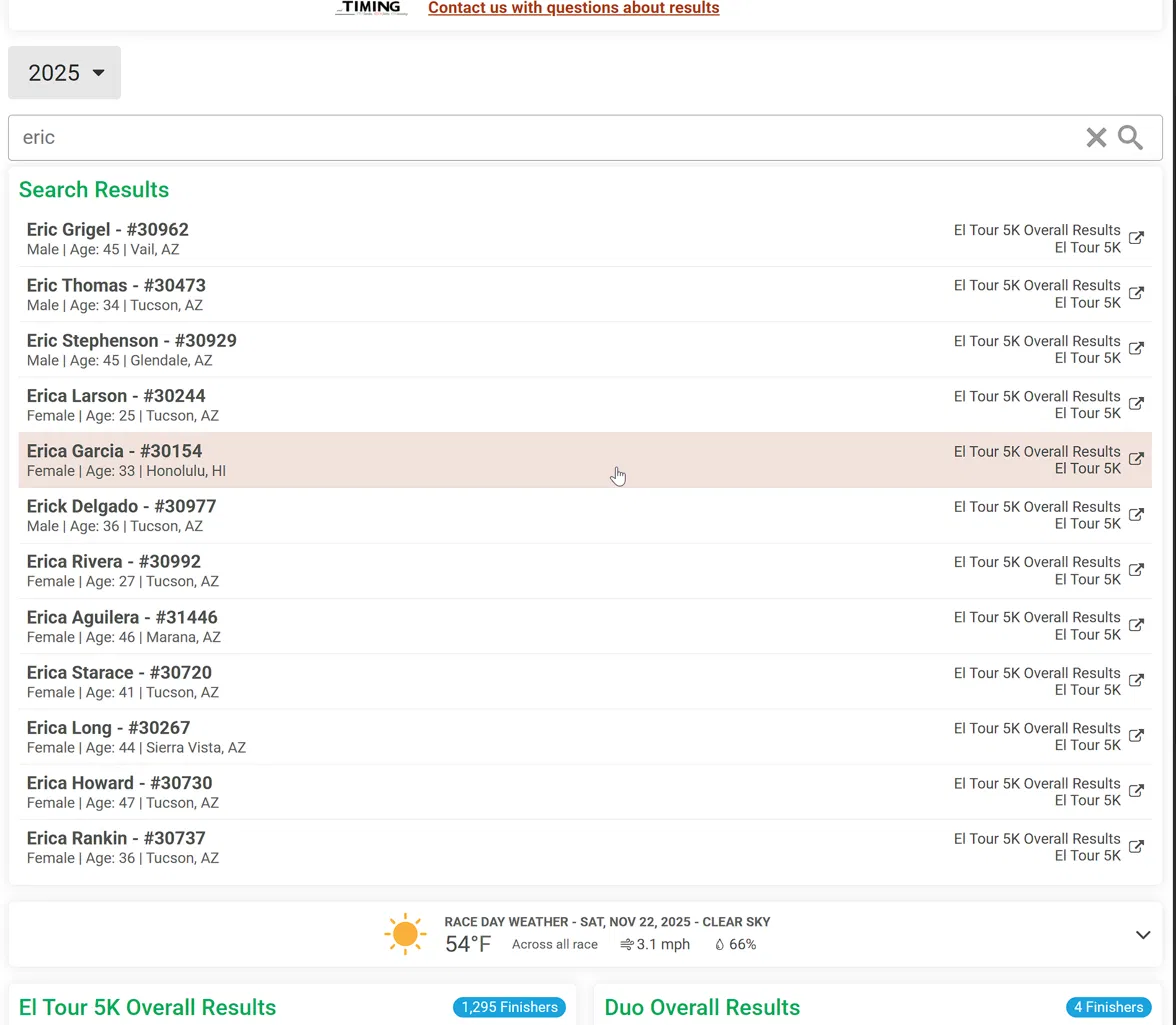
The page lists up to 15 matches. Each one shows the participant’s name and bib, plus age, gender, and city and state when those columns are visible on that result set. The result set name, and the event it belongs to, sits beside the match.
They click the name to open that person’s result. They click the result set name to open that result set.
If there are more than 15 matches, the page says how many are not shown and asks them to narrow the search. For a very common name, that count can read 100+.
How a name matches
A name needs at least two characters. One letter shows “Enter at least 2 characters.” and does not run a search.
A two-letter name returns only an exact first or last name. Al does not find Albert. If nothing matches, the page says that a two-character search returns only exact matches.
A longer single name matches the start of a first or last name. Eric finds Eric and Erica. An exact name is listed before a partial one.
Two words match the start of a first and last name. Jordan Ell finds Jordan Ellis.
A name of three or more words has to match the full first and last name. It is not a partial match.
The search does not look up a town. The search inside a single result set, on the detailed results page, still can.
How a bib matches
A search made only of digits looks for that exact bib number, including a one-digit bib. 12 does not find bib 123.
Which results are included
The search includes every result in a result set marked Public Results, including a set marked Preliminary Results and results still coming in on race day. A finisher appears once their result is in that set.
It leaves out a result set whose Public Results setting is off. It also leaves out team results, and a year that only has an uploaded file or a link to results hosted somewhere else. That year does not show the search box.
To search a different year, change the year and search again.
Privacy
Columns you have hidden stay hidden. Age, gender, city, state, and country appear only when those columns are visible on the result set.
A participant who checked “Hide me from Results and other public lists.” does not appear in a name search, even when they are logged in and search for themselves. A bib search still finds them. That match shows “Anonymous Participant” in place of their name, keeps the bib number, and leaves off their city and state. Age and gender still show when those columns are visible on the result set. When you search while signed in to manage the race, you still see their real name.
When a result lists an age under 13, a public name search does not match on the first name. If the last name matches, the match shows an initial for the first name, such as J., and the full last name. A public bib search still finds them and shows the same initial and the full last name. A participant who opted out of public lists is shown as “Anonymous Participant” instead. When you search while signed in to manage the race, you see the full first name.
```